Testing Withy
For the people helping me test before it goes on the Play Store.
Last updated 19 September 2026.
Only the first one has a clock on it, and it is a single tap. The other two you can do whenever suits you.
Opt in to testing WithyThat is the bit with a clock on it out of the way — thank you. Installing has no deadline, so grab it whenever you like.
Open Withy in the Play Store Didn't get as far as accepting? Open the opt-in link again.That is the setup done — thank you. From here it is just opening it now and then, and telling me anything that confuses you or looks wrong.
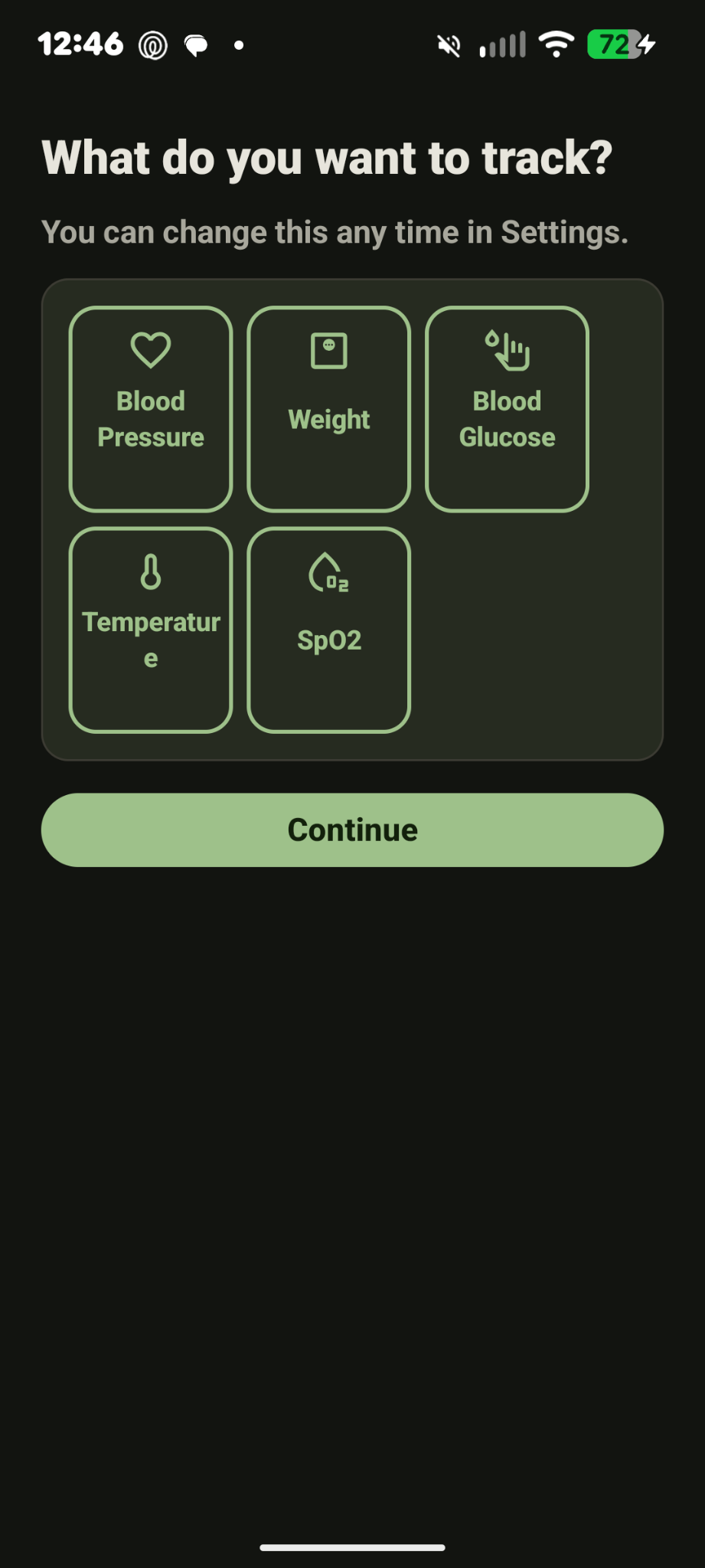
Open Withy in the Play Store Didn't get as far as accepting? Open the opt-in link again.Withy is a logbook for readings you already take — blood pressure, weight, blood glucose, temperature, blood oxygen. You type them in, it charts them, and it exports a CSV or PDF you can hand to a doctor. I need a handful of real people using it on real phones before Google will let it out. That's you. Thank you.
Start here
Five minutes now, then a few seconds at a time.
-
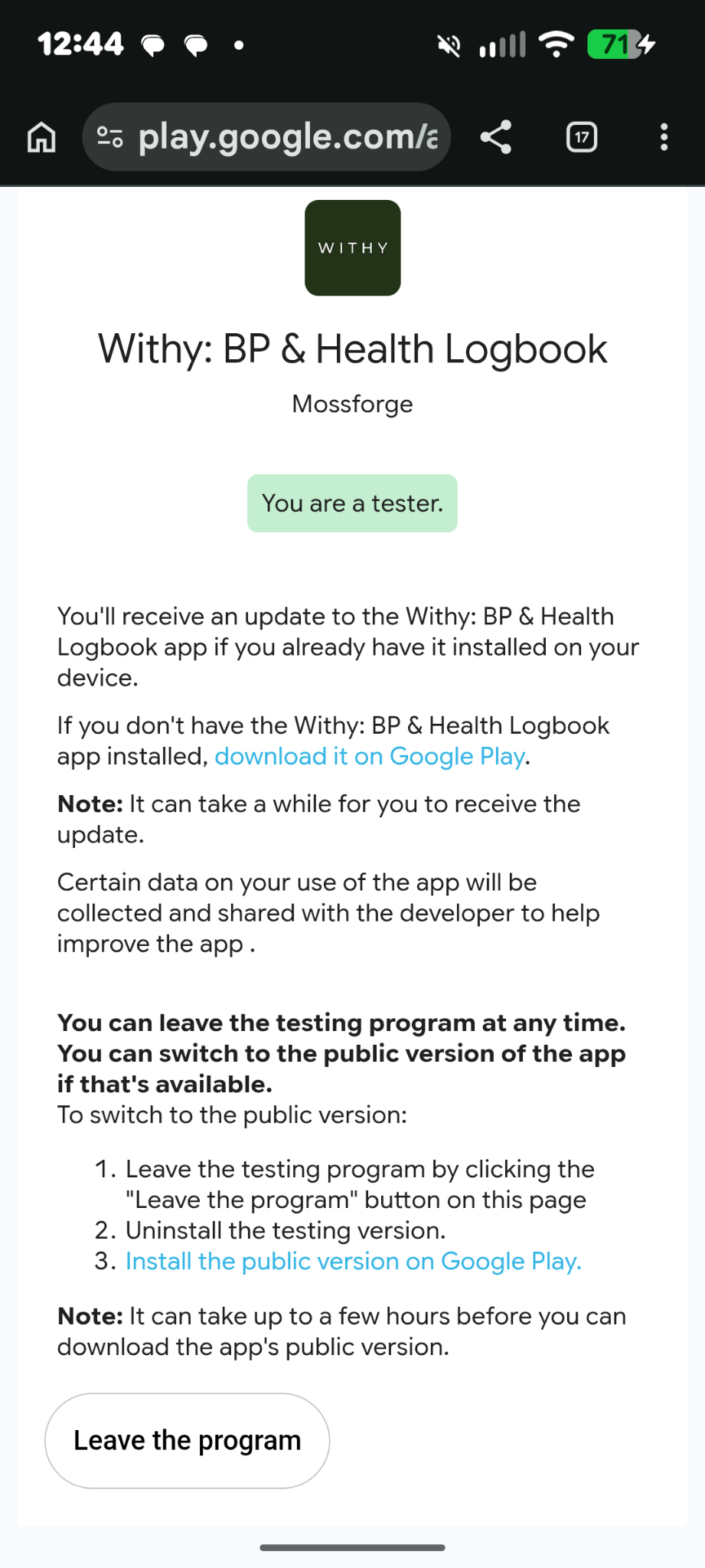
Opt in — today if you can. That's the green button at the top of this page. It's the bit with a clock on it, and it's separate from installing, so do it now even if you don't install for a few days. Once you've accepted you're done with that link for good — going back to it later offers to take you out of the test, and it doesn't ask whether you meant it.Opt in — done, thank you. Nothing more to do on this one. Just don't go back to that opt-in link: it offers to take you out of the test, with no "are you sure" in between. The Play Store link is the one to keep from here on.
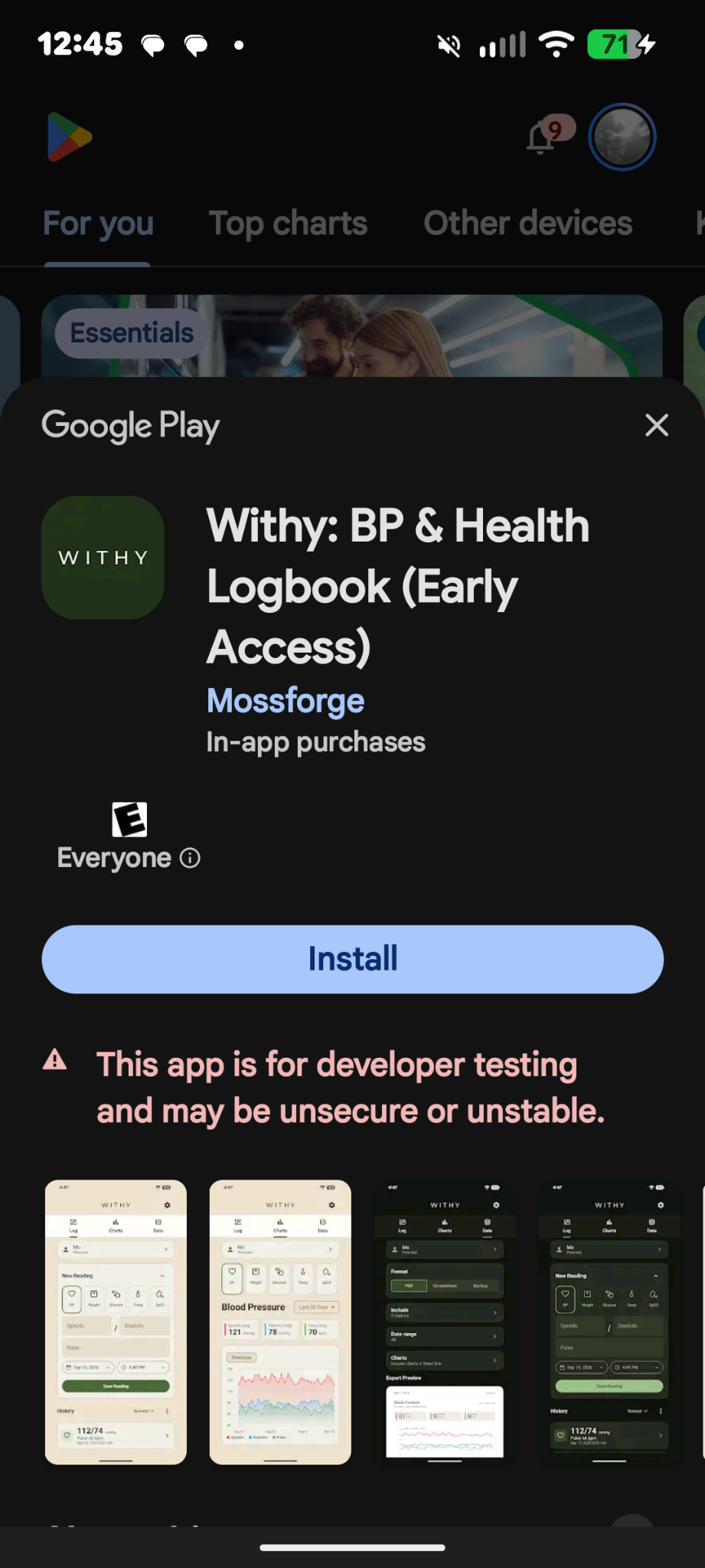
- Install Withy from the Play Store. This is the link worth keeping — the one to come back to later, not the opt-in one. Open Withy in the Play Store
-
Open it and add a reading.
A real one if you take them; make one up if you don't. I can't see either — there's no
account to sign in to, and the app doesn't send your readings to me. The
privacy policy has the details if you want them.

Not relevant. Staying anyway. - Keep adding them a few times a week. Not every day. But an app nobody opens after the first afternoon tells me nothing, and it tells Google less — going live means writing up what the test actually turned up, and twelve unopened installs isn't an answer. The charts need more than one dot, too.
- Please don't uninstall or opt out. This is the one that actually matters. Google counts how many testers stay in, and someone leaving doesn't cost me a day — it costs me a person, and the clock starts again for whoever replaces them. Which means it starts again for all of you: I can't finish until the newest tester has been in for the full stretch. Plan on a few weeks. I'll message everyone when it's done.
It's not working
Find the words you're actually looking at.
The opt-in link says I'm already a tester
That is the right answer — you're in, and there is nothing left to do on that page. It also offers to let you leave the test, and it acts the moment you tap it — there is no confirmation step to catch it. So please don't tap it, even out of curiosity. To install the app or open it later, use the Play Store link instead.
"Not available for your account"
Nearly always this means you're signed in to a different Google account than the one I put on the list. Open the Play Store, tap your profile picture in the corner, and check the email it shows. If it isn't the one you gave me, send me the one it does show and I'll add it.
If that email is the right one, then the other cause is that the opt-in link took you back out of the test — it offers that without asking twice, and it looks much like the page that put you in. Nothing is broken and nothing is lost. Tell me and I'll send a fresh link; getting back in takes the same ten seconds it did the first time.
"This app is for developer testing and may be unsecure or unstable"
Expected, and on every app that hasn't been released yet — Play shows that red line on all of them, mine included. It isn't a warning about Withy specifically and it isn't something going wrong. The same goes for (Early Access) after the name.
I think I've taken myself out of the test
Easily done, and my fault for sending you to a page that offers it with no "are you sure". It is completely fixable — tell me, I'll send the link again, and opting back in takes the same ten seconds it did the first time.
The one thing that actually costs me something is not hearing about it, so please don't sit on it or feel awkward. There is nothing to apologise for and nothing has been lost.
"Item not found", or the link just gives you an error page
Either you haven't opted in yet, or I haven't added you properly. Both look identical from your side, so don't try to work out which — just tell me and I'll check.
I can't find it in the Play Store
Searching won't find it while it's in testing — it only opens from a direct link. This is the one. If it says it isn't available, see above.
It's asking me to pay
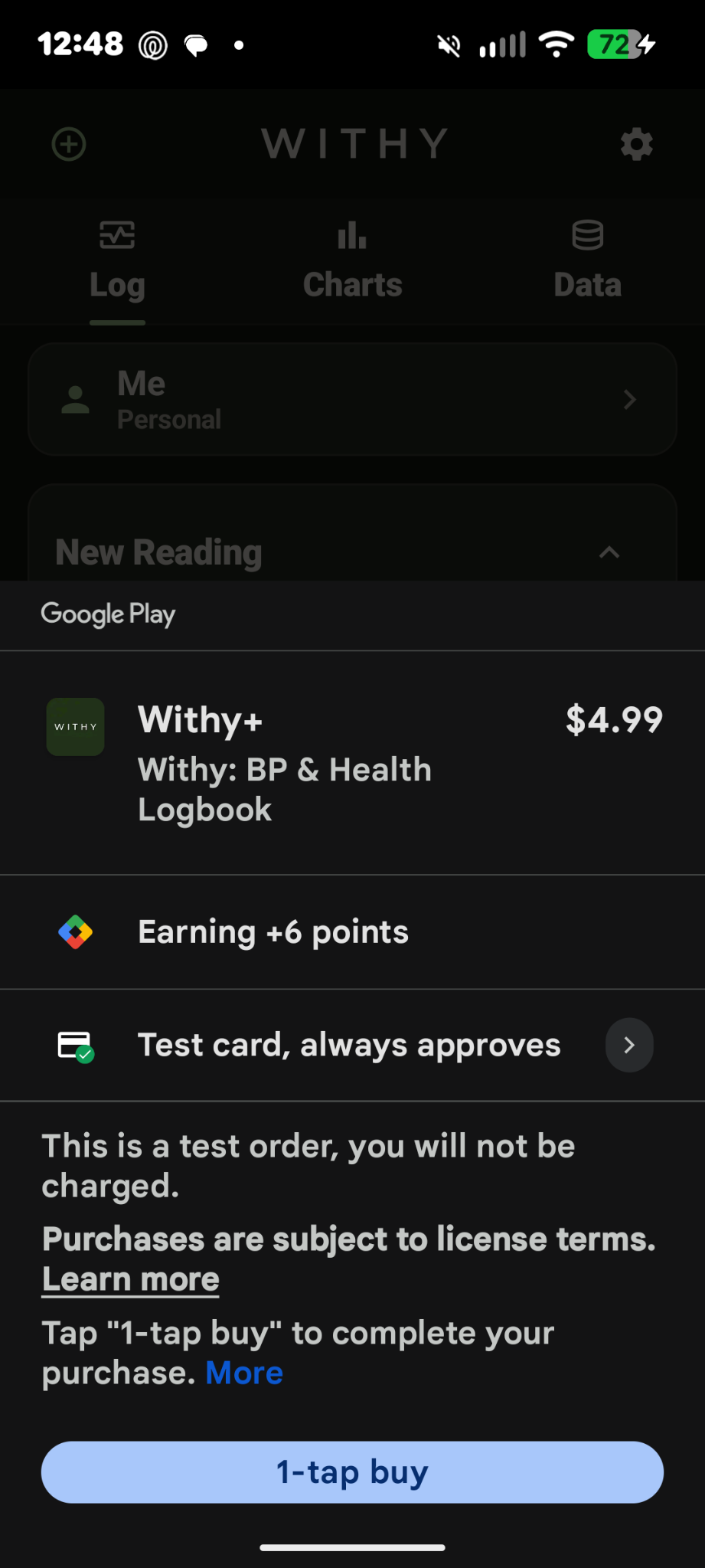
You shouldn't be charged for anything, ever — you're on my tester list, so if a payment sheet appears it should say it's a test card. If you see a real price, or your own card, back out and tell me straight away.
Something else
It's probably my fault rather than yours. Tell me — see the bottom of this page.
"Is this reading bad?"
Withy is a logbook — it records what you and your cuff say, so you can hand it to your doctor. It won't second-guess your readings, and that's deliberate.
So it won't colour the high ones red, tell you what's normal, or warn you about anything. That isn't me forgetting. The moment an app tells you a number is bad, it's giving medical advice — and that's a different kind of product, with a different set of rules and a lot of liability attached to getting it wrong. I'm one person building a logbook.
If you want to really help
None of this is required. Any of it would be awesome.
Make the text huge
In your phone's own settings, turn the font size and display size right up — further than you'd ever really use. Then go through Withy and tell me what looks broken, squashed or cut off.
It will look ungainly at those sizes, and that's expected — things get roomy and a bit awkward. Ugly is fine; unreadable isn't. So what I'm after is text that's actually cut off, overlapping, or impossible to make out. This is the single most useful thing on this list.
Export something
Export a CSV and a PDF and actually open them. Do they look right? Can you find the file afterwards? Would you be happy handing the PDF to a doctor?
Try to break it
Rotate the phone halfway through typing a reading. Lock the screen and come back ten minutes later. Put it in airplane mode. Type something silly — a date in 1850, a weight of zero — and see whether it complains sensibly or just accepts it.
Use it for a week, then look at the charts
Once there's a couple of weeks of dots in there, do the charts tell you anything? Is the Log easy to read back? This is the bit I can't test on my own phone, because I already know what everything means.
Tell me what you expected
Any moment you tapped something and got a different thing than you thought you would — even if you figured it out a second later — is worth more to me than a bug report. Those are the ones I'm blind to.
Telling me things
Email [email protected], or just text me — whatever works for you.
Three things I'd love to hear, whenever you have one:
- What confused you.
- What broke.
- What you'd change.
Even something small or half-formed is worth sending — "I wasn't sure what that button did" is genuinely useful to me. You won't hurt my feelings, and you don't need to have worked out what the problem is.